
Common Website Mistakes Every Brand Should Know
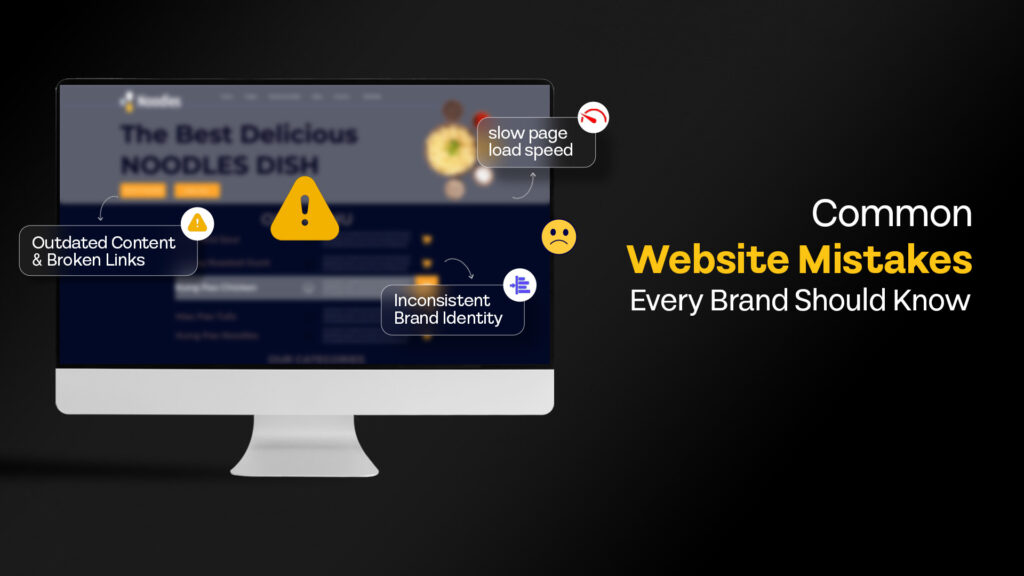
If your website isn’t pulling its weight in your marketing funnel, it’s likely suffering from common website mistakes we see across brands every week.
Your website is often the first meaningful interaction a potential customer has with your brand. In that moment, they are forming opinions about your credibility, professionalism, and whether you can solve their problem. Yet many businesses unknowingly undermine this critical touchpoint through common website mistakes that weaken performance, trust, and conversions.
These are not obscure technical issues. They are common website mistakes that are well documented and affect usability, search visibility, and conversion rates. The good news is that most of them can be identified and fixed with the right approach.
This guide walks through eight of the most common website mistakes we encounter when working with brands across industries. For each, we will explain why it matters, what the practical fix looks like, and how working with a creative and digital agency can accelerate the solution.
Mistake 1: Slow Page Load Speed
Page speed directly affects both user experience and search rankings. Research consistently shows that users expect pages to load within 2 to 3 seconds. Beyond that threshold, bounce rates increase sharply. Google has confirmed that page speed is a ranking factor for both desktop and mobile searches. See the benchmarks with Google’s Core Web Vitals framework.
For e-commerce sites, this website performance issue is even more costly. Unlike some other common website mistakes, speed problems can be measured directly. Studies show that for every extra second of load time, conversions drop by 7% or more.
Common Causes
- Unoptimized images (large file sizes, incorrect formats)
- Too many HTTP requests from plugins, scripts, and external resources
- No browser caching or content delivery network (CDN)
- Render-blocking JavaScript and CSS
- Cheap or overloaded hosting
Practical Fixes
- Audit current performance: Use Google PageSpeed Insights, GTmetrix, or Lighthouse to establish baseline metrics and identify specific bottlenecks.
- Compress and resize images: Convert to WebP format where supported. Use responsive images with src set attributes so browsers load appropriately sized files.
- Implement caching: Configure browser caching headers and consider a CDN for static assets.
- Minimize and defer scripts: Remove unused plugins, combine files where practical, and defer non-critical JavaScript.
- Lazy Load Non-Critical Resources: Apply lazy loading to below-the-fold images, videos, and iframes so off-screen elements load only when needed. This ensures the browser prioritizes above-the-fold content during the critical rendering phase.
Expert Tip: Focus on Core Web Vitals metrics: Largest Contentful Paint (LCP), First Input Delay (FID), and Cumulative Layout Shift (CLS). These are the specific measurements Google uses to assess page experience.
Mistake 2: Poor Mobile Responsiveness
Mobile devices now account for over 60-64% of global web traffic. Google uses mobile-first indexing, meaning it primarily evaluates the mobile version of your site for ranking purposes. A website that looks functional on desktop but breaks on mobile is effectively invisible to most potential visitors.
Beyond search results, common website mistakes, such as a poor mobile experience, undermine credibility. Users who struggle to navigate, read content, or fill out forms on their phones will leave and rarely return.
Common Causes
- Fixed-width layouts that do not adapt to screen size
- Touch targets (buttons, links) that are too small or too close together
- Text that requires zooming to read
- Horizontal scrolling due to elements exceeding viewport width
- Pop-ups or interstitials that block content on small screens
Practical Fixes
- Adopt a mobile-first design approach: Design for the smallest screens first, then progressively enhance for larger displays.
- Use flexible grids and relative units: Percentages, viewport units, and CSS Grid or Flexbox allow layouts to adapt naturally.
- Test on real devices: Emulators help, but nothing replaces testing on actual phones and tablets across iOS and Android.
- Ensure touch-friendly interactions: Minimum touch target size of 44×44 pixels. Adequate spacing between interactive elements.
- Simplify mobile navigation: Hamburger menus, sticky headers, and streamlined forms reduce friction on small screens.
Expert Tip: Use Google’s Mobile-Friendly Test tool to identify specific issues. Address viewport configuration, font sizing, and content width as priorities.
Mistake 3: Confusing Navigation and Information Architecture
Users should be able to find what they need within three clicks or fewer. When navigation is cluttered, inconsistent, or illogical, visitors get lost. They leave without completing their goal, whether that is making a purchase, submitting an inquiry, or finding information.
Poor information architecture also affects SEO. Search engines crawl your site structure to understand content relationships. A disorganised hierarchy makes it harder for search engines to index pages correctly and distribute ranking authority.
Common Causes
- Too many top-level menu items are competing for attention
- Inconsistent naming conventions across pages
- Deeply nested pages that require excessive clicking
- No search functionality on content-heavy sites
- Navigation that changes location or style across pages
Practical Fixes
- Conduct a content audit: Map all existing pages and identify redundancies, gaps, and logical groupings.
- Limit primary navigation to 5 to 7 items: Use dropdowns or mega menus for subcategories rather than cramming everything into the main bar.
- Use clear, descriptive labels: Avoid jargon or clever names that do not immediately communicate what the user will find.
- Implement breadcrumbs: Show users where they are in the site hierarchy and allow easy backtracking.
- Add site search: For sites with significant content, a search bar is essential. Ensure it returns relevant results.
Expert Tip: Run card sorting exercises with real users to understand how they expect content to be organized. Their mental model often differs from internal assumptions.
Eilan Digital offers performance-first web development services, optimising server setup, asset delivery, and Core Web Vitals as part of the build process, not as an afterthought. This approach avoids temporary fixes and delivers measurable gains in mobile speed and SEO stability
Mistake 4: Weak or Missing Calls to Action
A call to action (CTA) tells visitors what to do next. Without clear CTAs, users may consume content and leave without taking any meaningful action. Even interested visitors need direction. Conversion rate optimization begins with making the desired action obvious and easy.
Weak call-to-actions are equally problematic. They are common website mistakes that occur when generic phrases such as “Click Here” or “Submit” fail to convey value. They fail to motivate action because they do not address the user’s hidden question: “What do I get?”
Common Causes
- Pages with no CTA at all
- CTAs buried below the fold or at the end of long pages
- Multiple competing CTAs that confuse priority
- Buttons that blend into the page design
- Vague or uninspiring copy
Practical Fixes
- Define one primary CTA per page: Decide the single most important action you want users to take. Secondary CTAs can exist but should be visually subordinate.
- Place CTAs strategically: Above the fold, after key content sections, and at natural decision points. Repeat on long pages.
- Use action-oriented, benefit-driven copy: Instead of “Submit,” try “Get Your Free Quote” or “Start Your Trial.” Communicate what the user gains.
- Make buttons visually distinct: Use contrasting colors, adequate size, and whitespace to draw attention.
- A/B test variations: Test different copy, colors, and placements to find what resonates with your audience.
Expert Tip: Add urgency or scarcity where appropriate: “Limited spots available” or “Offer ends Friday.” But only if it is genuine. False urgency erodes trust.
Mistake 5: Ignoring Basic SEO Fundamentals
Search engine optimization determines how discoverable your website is. Without basic SEO hygiene, even excellent content may never reach its intended audience. Organic search remains one of the highest-quality traffic sources because users are actively looking for solutions you offer.
SEO is not about manipulating algorithms. It is about making your content search engine-friendly and valuable to users. Neglecting fundamentals is one of the most common website mistakes, resulting in lost traffic and revenue.
Common Causes
- Missing or duplicate title tags and meta descriptions
- No heading hierarchy (H1, H2, H3) in content
- Images without alt text
- URLs that are not descriptive or human-readable
- No sitemap or robots.txt file
- Lack of internal linking between related pages
Practical Fixes
- Write unique title tags and meta descriptions: Each page should have a distinct, keyword-relevant title (under 60 characters) and description (under 160 characters).
- Structure content with headings: Use one H1 per page (typically the title), then H2s and H3s to organize sections logically.
- Add descriptive alt text to images: Describe what the image shows. This helps accessibility and gives search engines context.
- Create clean URL structures: Use hyphens to separate words. Include relevant keywords. Avoid query strings and random IDs where possible.
- Submit an XML sitemap: Generate a sitemap and submit it through Google Search Console to help search engines discover and index your pages.
- Build internal links: Link related pages together to help users navigate and distribute ranking authority throughout your site.
Expert Tip: Use Google Search Console (free) to monitor indexing status, identify crawl errors, and see which queries bring traffic. It is the most reliable source of SEO data for your site.
Mistake 6: Inconsistent Brand Identity
Your website should feel like a coherent extension of your brand. When visual elements, tone, and messaging vary from page to page, it creates confusion and undermines trust. Users may wonder if they are still on the same site or dealing with the same company.
Brand consistency also influences recognition. Repeated exposure to consistent visual and verbal cues fosters familiarity. Avoiding common website mistakes that lead to inconsistency protects your brand’s memorability.
Common Causes
- Pages designed at different times by different people without guidelines
- Multiple logo versions or color variations used inconsistently
- Mixed typography and font treatments
- Tone of voice that shifts between formal and casual
- Stock imagery that does not match brand aesthetic
Practical Fixes
- Develop or update brand guidelines: Document colors (with hex codes), typography, logo usage, imagery style, and tone of voice.
- Create a component library or design system: Standardize buttons, forms, cards, and other UI elements so every page uses the same building blocks.
- Audit existing pages: Review the site for inconsistencies. Flag pages that deviate and schedule updates.
- Use templates: Page templates ensure new content follows established patterns automatically.
- Train content creators: Anyone adding content should understand and apply brand guidelines consistently.
Expert Tip: Consistency extends to tone. If your brand voice is approachable and conversational, legal disclaimers and error messages should still reflect that personality where possible.
Mistake 7: Outdated Content and Broken Links
Outdated content signals neglect. If your website displays last year’s events, discontinued products, or statistics from five years ago, visitors question whether the business is still active or trustworthy. Broken links compound this impression and frustrate users trying to find information.
Search engines take notice. Regularly updated content indicates relevance. Common website mistakes, such as broken links (both internal and external), affect the user experience and can have a negative impact on crawling and indexing.
Common Causes
- No content maintenance schedule
- Staff changes without knowledge transfer
- External sites changing URLs or going offline
- Internal restructuring without redirect implementation
- Pages created for campaigns that were never removed
Practical Fixes
- Schedule regular content audits: Quarterly reviews help catch outdated information before it becomes embarrassing.
- Use link checking tools: Tools like Screaming Frog, Ahrefs, or free options like Dead Link Checker can scan your site for broken links.
- Implement 301 redirects: When pages move or are removed, redirect old URLs to relevant alternatives rather than serving 404 errors.
- Add last-updated dates: Displaying when content was last reviewed builds trust and prompts internal accountability.
- Archive rather than delete: If content is no longer relevant but has historical value, move it to an archive section rather than removing it entirely.
Mistake 8: Overlooking Website Security Vulnerabilities
Website security vulnerabilities are among the most damaging common website mistakes. When security gaps go unaddressed, attackers exploit weak controls to inject malicious code, create unauthorized pages, or redirect visitors to harmful destinations. These intrusions often occur without the site owner’s knowledge and can result in:
- Spam pages promoting counterfeit goods or illegal pharmaceuticals
- Malware infections that compromise visitor data
- Phishing schemes hosted on your domain
- Backdoor access for ongoing exploitation
Malicious activity is frequently hidden through cloaking techniques, allowing attackers to evade detection for weeks or months. As a result, site owners often miss the issue entirely until search rankings collapse, security warnings appear in browsers, or manual actions show up in Google Search Console.
Common Causes
- Outdated CMS, plugins, and themes:
Running old versions of WordPress, Wix, or other content management systems creates exploitable entry points. Research shows that nearly 39% of hacked CMS sites were running outdated core software at the time of infection, and 97% of WordPress vulnerabilities originate in plugins. - Weak login credentials:
Simple passwords or default usernames make brute force attacks trivially easy. Nearly 81% of hacking-related breaches involve compromised, weak, or reused passwords. - Abandoned or unmaintained plugins:
When developers stop maintaining a plugin, known vulnerabilities remain unpatched indefinitely, leaving your site exposed to automated exploitation. - Missing SSL certificates:
Unsecured connections expose data transfers and signal to both users and search engines that your site lacks basic protection. - No security monitoring in place:
Without active scanning or alerting, infections can persist for weeks or months before anyone notices the damage.
Practical Fixes
- Keep all software updated: Treat CMS updates, plugin patches, and theme fixes as non-negotiable maintenance tasks. Enable automatic updates where possible and aim to apply critical patches within 48 hours of release.
- Implement strong authentication: Use complex passwords with at least 12 characters, enable two-factor authentication, and limit login attempts to block brute force attacks.
- Install security plugins and firewalls: Tools like Wordfence, Sucuri, or Cloudflare provide real-time threat detection, malware scanning, and blocking capabilities.
- Remove unused plugins and themes: Every inactive component increases your attack surface. Delete anything you are not actively using rather than simply deactivating it.
- Schedule regular security audits: Run automated malware scans weekly and conduct manual reviews of user accounts, file permissions, and admin access quarterly.
Expert Tip: Set up Google Search Console to monitor security issues, manual actions, and unusual spikes in indexed pages. Combine this with server-level monitoring and a web application firewall to catch intrusions before they escalate. Treat security alerts as operational emergencies, not items to address when convenient.
How Eilan Digital Helps Brands Build Better Websites
Identifying common website mistakes is only half the challenge. Fixing them systematically, without breaking other things, requires experience and a structured approach. This is where working with a creative and digital agency delivers value.
At Eilan Digital, a creative and digital agency, we understand your digital and creative needs and help brands across industries build websites that perform and look exceptional. Our approach combines strategy, design, and technical execution into a cohesive process.
If your website is underperforming and you are not sure where to start, an outside perspective can help. A professional audit can help uncover common website mistakes that are easy to miss when you see your site every day.
Ready to improve your website? Contact us. We will review your current site, identify priority improvements, and outline a path forward.
Previous
Let’s talk about what
you’re building.
Whether you’re refining a brand, preparing a market launch,
or bringing clarity to a complex product, we help translate
intent into structured, effective execution.